

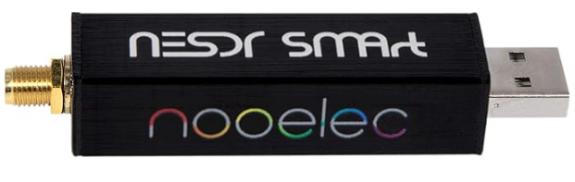
Does the idea of turning a cheap USB TV tuner into a surprisingly capable Software Defined Radio (SDR) appeal?
That’s exactly what I tried with the Realtek RTL2832U USB dongle. Originally sold as a digital TV receiver, compatible versions of this little device became hugely popular with radio enthusiasts because they could also be used to receive a wide range of radio signals.
In this original hands-on test, I used the RTL2832U for:
- Software Defined Radio reception (FM, AM, SSB and CW)
- DAB Digital Radio
- Freeview Digital TV with programme guide
- ADS-B aircraft tracking
- TV and radio recording
All of the above was possible with this cheap little USB dongle.
Looking to set one up yourself? See our dedicated RTL-SDR Getting Started Guide for installation, SDR# setup, troubleshooting and antenna information.
What is the Realtek RTL2832U SDR dongle?
The RTL2832U was originally designed for inexpensive USB digital TV receivers. Radio enthusiasts discovered that compatible dongles could also be used as wideband radio receivers when paired with suitable software.
The unit I tested was marketed as a “Mini Digital TV USB Stick” and came with a basic remote control and a tiny digital TV aerial. It was supplied with Blaze software for digital TV and radio use, but with some additional software it could be opened up to a host of other possibilities – including amateur radio reception.
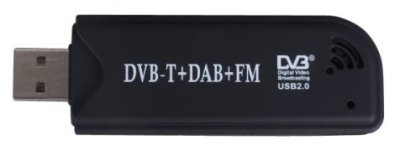
I picked one of these up at the Rainham Radio Rally for a little over £18. At the time, similar dongles were also widely available online and represented a very inexpensive way of experimenting with Software Defined Radio.
RTL-SDR hardware has moved on considerably since this original test. If you’re thinking of buying one today, see our RTL-SDR Getting Started Guide rather than relying on the older models and prices originally mentioned on this page.
Which RTL-SDR should I buy?Our pick: NooElec NESDR SMArt v5 See the NooElec NESDR SMArt v5 on Amazon UK | NooElec NESDR SMArt v5 on eBay Established alternative: RTL-SDR Blog V3 See the RTL-SDR Blog V3 on Amazon UK | RTL-SDR Blog V3 on eBay Easy starter kit: NooElec NESDR Mini 2+ See the NESDR Mini 2+ kit on Amazon UK | NESDR Mini 2+ on eBay As an Amazon Associate, Essex Ham earns from qualifying purchases. |
RTL-SDR Software Defined Radio: Installation
Note: The following section documents the SDR# installation method I used when this article was originally written. SDR# and RTL-SDR installation procedures have changed over time, so for current setup information see our RTL-SDR Getting Started Guide.
For my original setup, I went to airspy.com/download and downloaded the Windows SDR Software Package.
I downloaded the ZIP file, extracted the files to a folder called c:\sdrsharp\, and then ran install-rtlsdr.bat. This downloaded the required RTL dongle drivers.
Next, I plugged in the dongle. Windows attempted to install its own driver, but the SDR software required the appropriate RTL-SDR driver to be installed using Zadig.
In the SDR installation folder, I ran Zadig.exe. Zadig detected the Realtek device and allowed the correct driver to be installed.
If the device isn’t visible, use Options > List All Devices and look for the Realtek/RTL device.
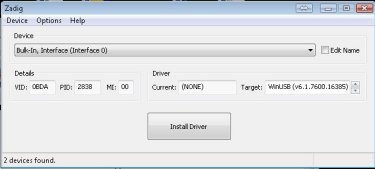
The driver installation application was rather chatty, as installers go. It pointed out that Microsoft didn’t return enough information for it to estimate how long the installation would take, so it entertained me while it worked. Nice touch.
Using the RTL2832U as a Software Defined Radio
With the driver installed, it was time to run SDR# using the sdrsharp.exe file.
The interface started up, and there were two things I needed to do:
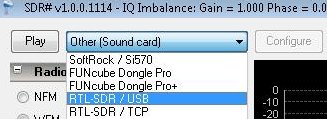
- Select the RTL-SDR dongle as the input device from the source box at the top left, then press Play.
- Increase the RF gain. Initially I could see signals in the waterfall but couldn’t hear anything because the RF gain was set to zero.
Here is my first screenshot, showing stereo audio from commercial radio station Heart FM on 96.3MHz. The software even decoded the RDS station name and “now playing” information.
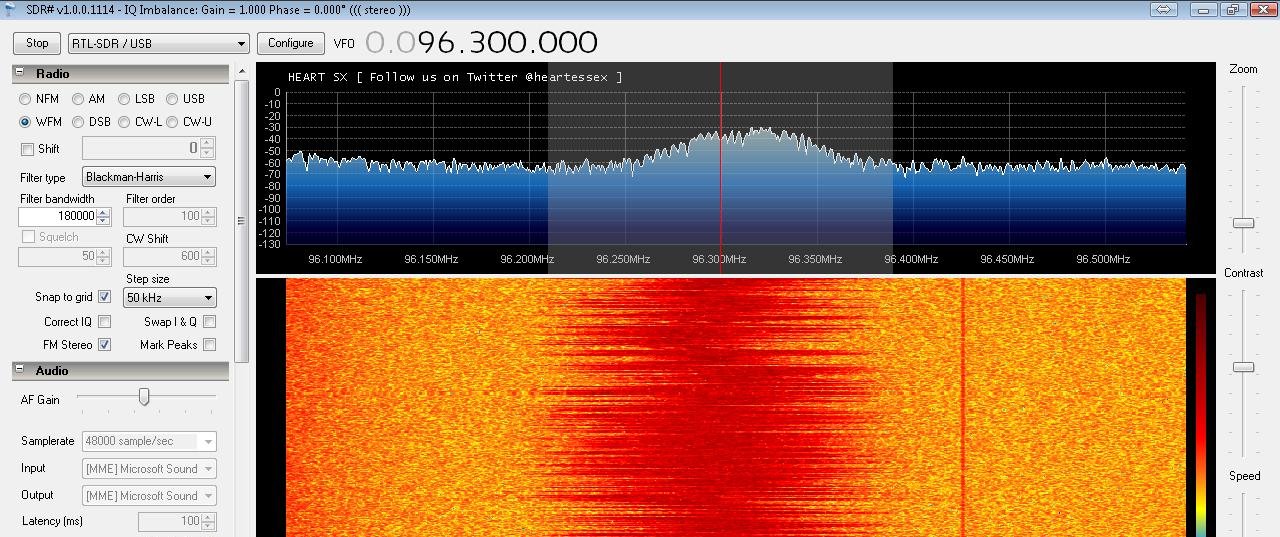
Broadcast radio worked fine and the audio sounded good, particularly once the dongle was connected to a decent rooftop antenna.
Next, I tried the amateur 2 metre band:
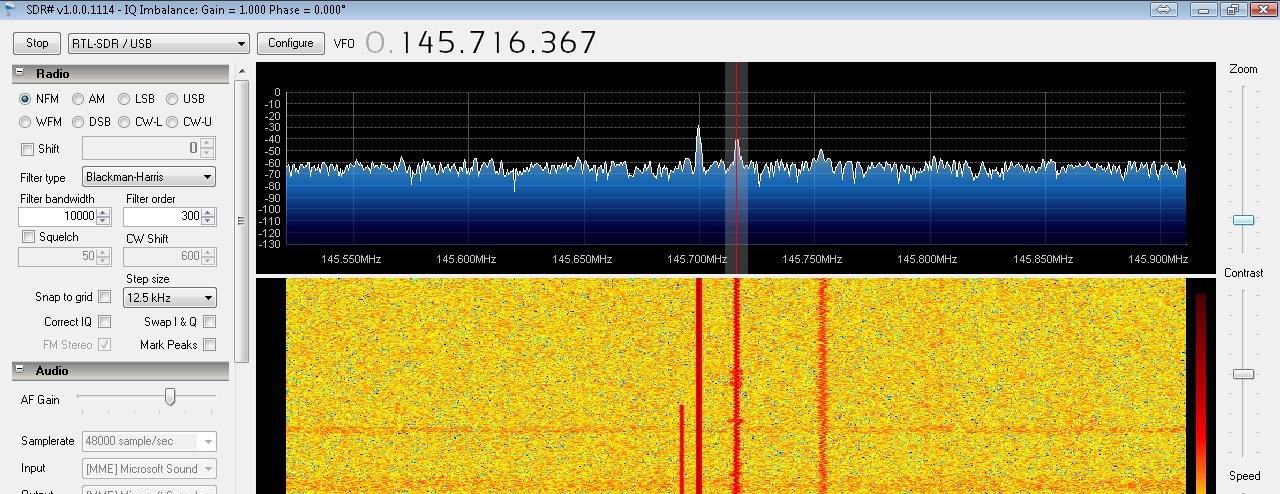
Having problems with SDR#? Check that the RF gain is set high enough, try a different USB port and check that the correct driver has been installed.
Receiving ADS-B Aircraft Signals with RTL-SDR
The dongle can receive ADS-B aircraft transmissions on 1090MHz. For this original experiment I used an application called RTL1090 to receive the raw aircraft data.
Note: The software described in this section reflects the setup I used when this article was originally written. There are newer ADS-B software options available today.
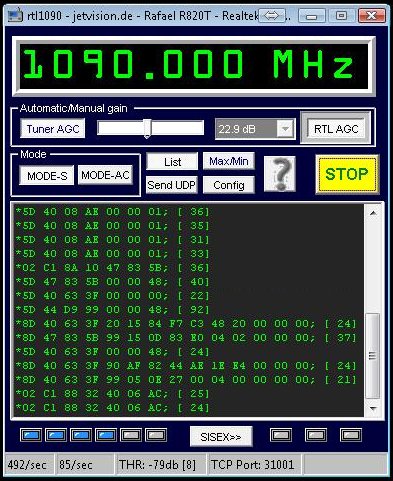
I then used ADSBScope to plot the aircraft information onto a map.
When I started ADSBScope, I got a Registry Error (Win code error: 2) message, but this didn’t seem to cause a problem.
Three settings had to be changed:
- Under Other > Network > Network Setup, press the “RTL1090” preset button.
- On the same screen, set the IP address to “127.0.0.1”.
- Tick Other > Network > Raw Data Client Active.
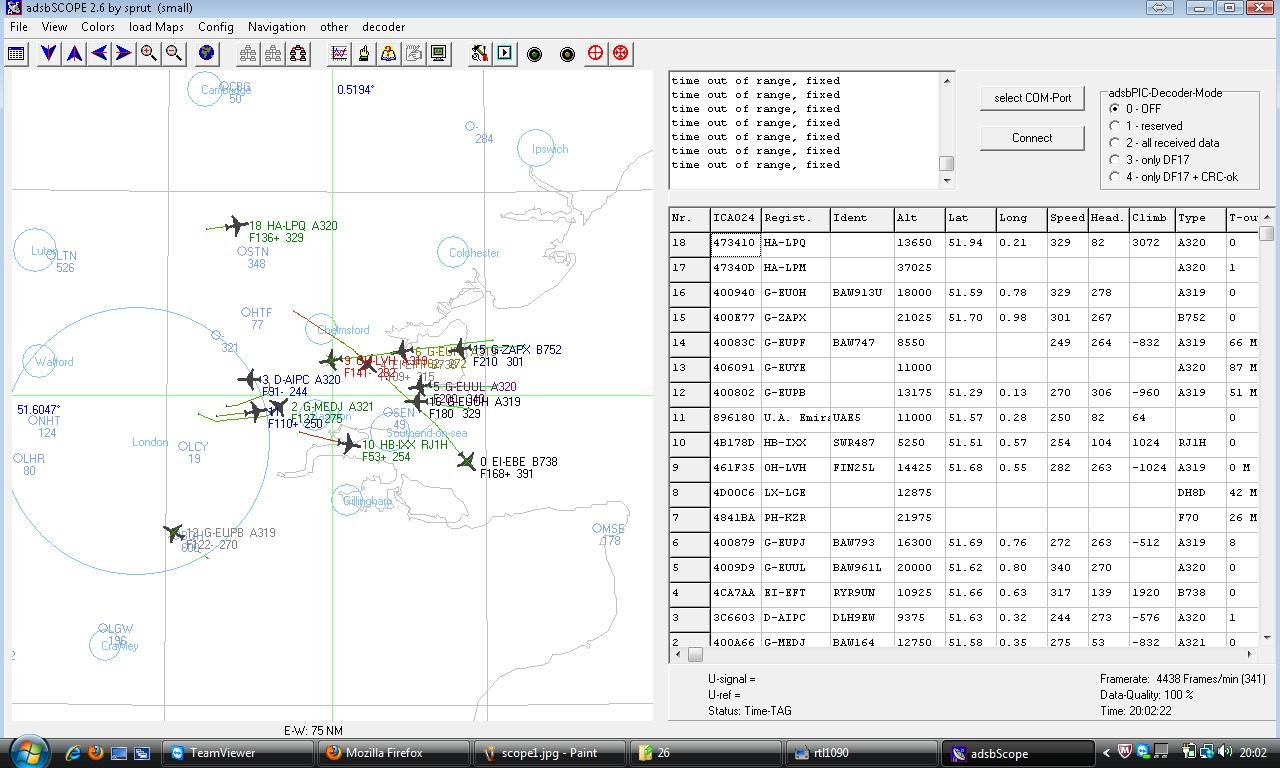
Receiving Freeview Digital TV
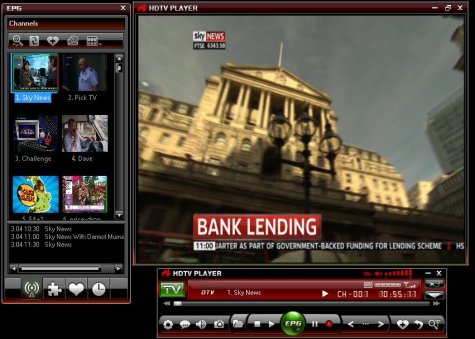
As the dongle was originally designed as a digital TV receiver, I also tried it with Freeview.
For this original test I installed the supplied drivers and Blaze software, then connected the dongle to a standard TV aerial rather than my amateur radio antenna.
Blaze performed a channel scan and correctly found the Freeview channels available in my area. The software provided access to the electronic programme guide, recording facilities and the ability to capture screenshots of live TV.
Receiving DAB Digital Radio
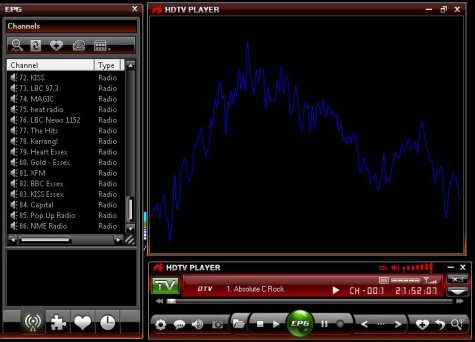
I also tested the dongle as a DAB digital radio receiver using the supplied Blaze software.
Switching to DAB for the first time caused the software to perform another channel scan. This took several minutes because it covered quite a wide frequency range.
The scan eventually returned a list of 88 received DAB stations from several multiplexes. Audio quality was very good and the software had a decent interface, as pictured here:
Switching Between Radio and TV
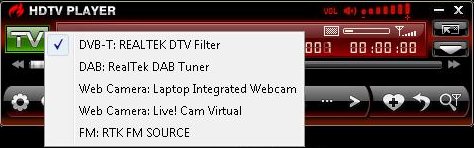
It wasn’t immediately obvious how to switch between Freeview TV, FM and DAB in the Blaze software I was using. The trick was to press the green “TV” button, which opened a menu allowing the different services to be selected.
Antennas for the Realtek RTL-SDR Dongle
With only a tiny 12cm antenna supplied, I wasn’t expecting much. It was only when I connected the dongle to a decent antenna that things really started to open up.
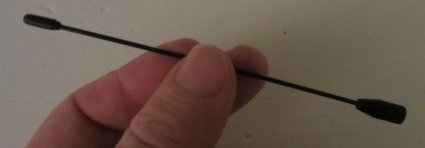
The supplied antenna is unlikely to give great reception unless you’re outdoors or in a particularly good location, so connecting a better antenna can make a huge difference.
The connector on my original USB stick was a small MCX connector. At the time I found an MCX-to-TV-coax adaptor, then modified the lead by replacing the TV plug with a BNC connector so that I could connect the receiver to a more useful amateur-radio antenna.
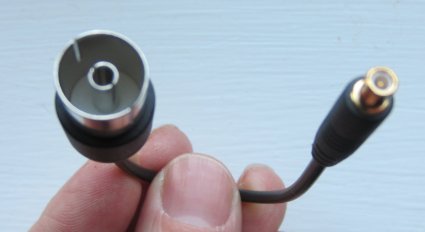
For VHF and amateur radio reception, connecting the dongle to a decent external antenna made a noticeable improvement.
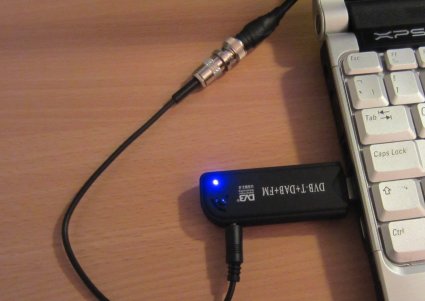
Realtek RTL2832U SDR: Summary
This little USB receiver turned out to be an impressive piece of kit. For relatively little money, it opened up Software Defined Radio, amateur radio reception, FM broadcast radio, aircraft tracking, DAB and digital television.
RTL-SDR hardware and software have moved on since I carried out these original experiments, but the RTL2832U played an important part in making Software Defined Radio accessible to radio enthusiasts at very low cost.
Want to try RTL-SDR yourself? Continue with our RTL-SDR Getting Started Guide for information on setup, SDR# configuration, troubleshooting and antennas.
Any questions or comments? Please add them below and I’ll try to help.
Pete M0PSX

Just thought about trying this out. What antenna did you use for the radar part.
My test of virtual radar was done using a loft-mounted 2m/70cm colinear antenna, which is normally used for ham radio. It works with the supplied antenna too, but not as well as with my loft antenna
Oh cool, i will now have to make sure my 2m radio is running for tonight to ask more on the mnn later
m6gyn
Great write up Pete! I shall be trying the radar side of things with my EzCap RTL-SDR soon. These sticks are also capable of picking up the High Altitude Balloons as SDR# has a SSB/USB mode. From what I’ve heard it is worth replacing the antenna connector with an edge-mount SMA connector if you are handy at soldering!
http://www.amazon.co.uk/Coaxial-Antenna-Cable-Adaptor-DVB-T/dp/B005HBRO2O/ref=wl_mb_hu_m_2_dp Just found a link for the connector from ebay for thoses who like to bulk order in one hit
thanks for a very thorough write up Pete,I missed Rainham this year but have the same item on order coming from Singapore for £13 inc!
Can’t wait,Mac G6NLZ
Hi Pete,
These are interesting devices, and I do like the 2-3mhz bandwidth spread on them.
I own one of the original FunCube Dongles (4th one shipped when they first became available) and I think you are being a bit unfair with your comparison between the devices, personally I found the FunCube Dongle much, much easier to install than the RTL devices.
(Admittedly, the RTL stuff has got a little easier over the past year to run).
There is quite a difference in price, however when you think of all the band filters that are in the FunCube dongle compared to none in the RTL devices, as well as the FCD having 24bit audio compared to 8bit on the RTL devices (giving the FCD a much, much better dynamic range) – they’re not really comparable to the capabilities of the FCD.
Some of the funds from the sale of FCD’s also helps out Amsat UK.
However, as a taster for getting into software defined radio, yes – the RTL devices can be great introduction to the capabilities of this method of reception.
Simon Brown – creator of Ham Radio Deluxe has also added support for RTL dongles in version 2 of his SDR software – I would also recommend a look at this, link here:- http://v2.sdr-radio.com/
Best 73’s
Matty
MD0MAN
Hi
I have been using one of these to listen to the satellites as you can watch a very large bandwidth at a time. I do get interference from time to time, so SAW filters would improve this. For a cheap route into SDR this is a must, you can get one for under £10.00 delivered from
Tom
Hello mate
Please remove the lupo link you have listed at the top, it does NOT have a Realtek RTL2832U chipset, I have learnt the hard way :-(
Nice overview. I have exactly the same RTL-SDR stick and get SDRSharp to work so I can receive FM, 2m repeaters, aircraft communications etc. I also have the Blaze HDTV player (ver 6.0), but I see that you managed to switch it from TV to DAB, that doesn’t seem to work for me. How did you do that?
Hello.
What about sensibility vs Funcube and other SDR. Can I use it to receive ham satellites.?
Thanks in advance.
co8tw(at)frcuba.co.cu
Juan Carlos, CO8TW.
after all the site i visited this is the most straightforward and clearest
Going to uninstall a whole load of stuff on 2 PC’s and do what you did.
Thanks.
Anyone help with this ?
When I run the SDRSharp.exe file I receive the error message ” error loading.Exception has been thrown by the target of an invocation”.
I also do not see the option RTL-SDR/USB in the “play” drop down menu.
Many thanks…Bert.
Try removing the supplied software and driversonce again…….i found that they stopped SDR sharp from working in my case.
Hi, great info!
Do You have any solution on how to plot AIS-signals with the device?
TNX es 73 de SM2SYV
Good write-up, Pete – My dongle arrived today, cost all of £4.99 from Amazon using one of your links above. Installation was exactly as you described: Windows 7 found the dongle and I ran Zadig. Both HDSDR (my favourite app) and SDR# work well with this dongle.
Now looking forward to running a cable from the FT-950 IF output so I can use it as a Panadapter :)
Try the LP-PAN2 panadapter it works great With the ft-950
Peter,
Very well presented but all a bit too complex for me!
What happens when an EasyJet hits one of these Balloons?
John G8DET.
Hello John,
Yes, balloon tracking with a dongle is a bit tricky to set up, and with so few flights, you have to try to get it right first time.
We had Chris M6EDF on the Monday Night Net tonight, explaining the issue with Easyjet. You have to apply for a waiver with the CAA to be able to send off a balloon, you have to check the predicted flightpath to keep it away from London and major airports, and you have to call the local airfields before launch so they can advise local pilots.
All interesting stuff!
Great Little Device…….Ideal for spectrum monitoring
Not as good as a dedicated unit costing more but for what it is its pretty dam good.
Hi Guys
New to this Dongle thing but im looking for a simple way of how to download and receive aircraft and whats the best way to do this
I have PP and SBS but dont want to take SBS with me as dongle will do just the same job any offers.
regards
alan
BHD
The dongle mentioned here will allow you to receive aircraft transponders, and this page explains the basics of the connectivity and software. If you don;t want to go the dongle route, there are various web-based and smartphone apps that allow real-time flight tracking. Hope that helps.
Hello is this place still active
Hi Pete,
thanks for this nice site. At your picture from sdr# i can see a carrier exactly in the middle of the windows. Same with me here. Do you know what kind of carrier this is?
73 Sten
Hi, I need your help! I bought Mini Digital TV USB Stick and lost my drivers CD. I tried to find them on internet, but I could`t. Maybe you can copy them from your mini cd and send to my email? I don`t need blaze software, just drivers! This is my email : mantgirdask@gmail.com
You don’t need drivers from the CD – Windows installs the drivers by default. I didn’t need the CD to get the SDR running.
hi
If the sdr reception works, the dvb-t reception doen’t,
and vice versa.
One driver excludes the other one.
Is there a solution to have both SDR and dvb-t
Thank you for an evt answer.
René
I have the exact same problem!! Any help from the experts please!! I think the zadig drivers need to support dtv drivers.
Hello Pete.
I am getting data from RTL1090 but cannot get it connected to adsbScope.
What should the comport setting be?
Martin
Disregard last message, its now working.
Thanks a lot for this very informative article.
I’m having the same problem as 2 of the posters above in that once I have installed the sdr driver I can’t use the dongle as it was intended – as a TV/ DAB tuner. Before I installed the sdr driver I did get the dongle working with the Blaze software using the supplied drivers (This was difficult as my computers optical drive is vertical so I had to turn it on its side before I could get the mini cd to load.
I noticed that many of the DAB stations cannot be heard using the Blaze software. For instance Blaze will play BBC Radio 2, but not BBC Radio 3 or BBC Radio Five Live. I guess that’s because both these channels are encoded in unusual bit rate formats? Virtually all of the commercial stations on the National DAB multiplex are silent using Blaze with the exception of Classic FM, presumably for the same reason.
The Blaze software doesn’t allow you to record DAB for some unknown reason. It would have been easy to “download” the DAB radio signal as an mp2 audio file.
Has anyone found an alternative to the Blaze DAB tuner that allows you to hear more of the DAB stations and record DAB Radio?
Has anyone found a way of switching between drivers so you can use the dongle as an sdr tuner and as a TV/ DAB tuner? I’ve tried plugging the dongle into different USB ports, but my computer always ‘prefers’ the sdr driver no matter which USB Port I use.
Thanks guys
Hi,
Ive bought loads of these and find the odd one has its sensitivity down a bit. Still works but not is fiesty as the rest.
A tip to share also about the rather low performance antenna which comes with a mini magmount. Dont waste your time with it, chop the cable say ten inches from the mini mcx connector and solder your own usable sized connector onto chopped end, BNC chassis socket or SO239. Then link it to decent antenna for the outside world.
In SDR sharp also adjust the gain to suit your environment and monitor by colour density on the waterfall display.
73 Si…
Well, almost a year on and it’s amazing how often I find myself using this little gadget. I’ve found that I get coverage to about 24.2MHz before it goes “silent”. It makes a great reference RX with my HF Vertical, especially when 10m is open and I want to record a few minutes of activity across a wide range. I’ve not touched SDRSharp in ages and prefer HDSDR, the recording interface is a joy to use and the scroll-wheel tuning is “always-on”. The layout is configurable, too.
I’m almost at the stage where a Funcube Dongle seems like a good idea, but not just yet :)
I use 2 of these dongles for ADS-B plotting using RTL1090 and ADSBscope, one on a pc in the shack and one on a netbook for portable use. I use a scanner antenna from Maplins, I think it’s an MS100 with BNC fitting, connected to the patch lead which comes with the dongle. This is in turn connected to the pc with a long USB extension cable.
I’m going to invest in a long 5 metre active USB cable to act as ‘coax’ to prevent any signal loss so I can mast mount it in a plastic pipe. I’ll let you all know the outcome.
Thanks for this really useful webpage. I’ve got RTL1090 and ADSBscope running (after a few glitches as Win 7 would only let me install ADBScope manually, putting the required files in the running folder). Even with the titchy supplied aerial I’m picking up planes, provided I put it by a window. SDR# is proving more of a problem as the version that runs with the dongle keeps crashing after a few seconds. I might try it with Win XP. A note to Mac users, Zadig identifies the dongle as a generic USB tablet if you are running Windows in a virtual machine, such as VirtualBox. However, Mac users Running windows on a dual boot disk (‘bootcamp’)should be OK.
nice site guys, also own the rtl dongle,
use this for a decent dab player, if your struggling with blaze http://www.ukwtv.de/cms/downloads-aside/281-dab-player-von-andreas-gsinn.html
Hi Pete,
I am trying to install ADSBscope, but I cannot see an obvious .exe file in the download. The first folder that I have is adsb-all and I searched the subsequent folders. Have I downloaded the correct software?
Thanks,
Bob.
M0BOB..
Hi Bob,
I agree – it’s not obvious. Go to the folder /abdb_all/pc_software/adsbscope/27/ – The file is adsbscope27_16384.exe
Pete
Thanks Pete..
these devices a a super versitile solution for people on a budget, i picked up one a little while ago for ADSB etc, the antenna is a little less to be desired so i made up a colineer with sections of RG58 inside a small plastic tube, i ended up using about 10 small cut sections of coax and arranged them in a clasic coliner approach..at the roof line this picked up aircraft from up to 100miles away.. and for WXsat the are a good tool also pluged into my 2m amp and the turnstyle ant i can get all the wxsat images pretty sharp.. bar the paging interferance i get at my location.. it s definet recommended buy…
Hi. I have dongle 73e pinnacle pctv but I can’t use it as RTL-SDR please help me
As far as I can tell, that dongle doesn’t havce a suitable chipset, so can’t be used as an SDR.
Hi Pete,
great article, well explained.
Amazing how much amusement you can get from just £10.Just starting out in the amateur Radio crowd, this was a great way to start.
thanks
Ty
Hi Pete, Thanks for an excellent article. My laptop runs Windows 8. Could you recommend a couple of current dongles that will play well with that OS.
Thanks very much for this website and the comments section.
All very informative and well presented. A pleasure to work through and digest.
I’d never really looked at SDR dongles before, but thanks to being directed to Essex Ham, I got a really useful leg-up.
73 de m0ans (Adrian)
Has anyone tried the Realtek USB SDR Dongle with Linux Ubuntu 14.04 operating system
Have you had any luck with this? I want to do the same.
Got as far as installing gnuradio and GQRX but am getting errors. Could be because I don’t have an equivalent step to installing zadig drivers – something to do with configuring the dongle itself? If anyone comes across a guide to getting this working on ubuntu linux please share, I’m keen to try but currently stuck.
Getting further, and sharing in case this is of use to anyone. I am now no longer getting errors, but I’m still doing something wrong. But scroll down to the bottom of this page for Linux instructions and driver info. If anyone gets this working, let me know. I’m close, there’s just still something I’m missing.
http://www.rtl-sdr.com/tag/zadig/
For those who like to tinker (or can’t stretch to the Funcube Dongle) – The direct-sampling DLL works rather well with SDR# I was able to tune down to 40m with acceptable results on my HF dipole. Details (and the source) of the DLL are here: http://www.rtl-sdr.com/new-experimental-r820t-rtl-sdr-driver-tunes-13-mhz-lower/
Here’s a direct link to a pre-compiled DLL: Just place this in your SDR# program folder (renaming the existing one so can roll-back, if required) and launch the program.
Hi has anyone got a realtek DVB-T like the picture,going on LinuxMint17,(Ubuntu based) apart from Windoz7 which i do have (dual boot) with Win7
,just use win 7 for DXLabs/jt65-hf or wsjt-x. so has anyone done it.Help please.73`s Jon
Have you had any joy with this? I’m also looking for a way to sent the dongle up with Ubuntu Linux
After reading about the use of a dongle up a pole,withe 23cms yagi. going to try the same stunt here have ordered the long usb cable.And going to make a 23cms quagi they are quick to build.
Just to see what happens if not down to 70cms and put the Parabeam made by J beams.
I also found an artical on low cost relays for masthead preamps and been tested over here. so getting 4 of the bliters!.
73`s jon`CCL.
Will try to get to chelmsford meeting,looks interesting.
I keep on getting the following message,Cannot access RTL device ?
I bought one of these 10 months ago from Amazon, but I wasn’t convinced of its authenticity as a genuine KEEDOX item. I sent the company an email requesting info, but it went unanswered.
Today I finally installed it, making sure it was on a PC with nothing ‘sensitive’ on it and after installing the BlazeTV software and using the provided serial nimber, I got a message saying it was suspected counterfeit, and the serial number had already been used several times on other PCs.
I’ve not yet tried other software, but please be careful with this item – it may not always be what you think – and with the increase in ‘spy’ hardware from the far East, better sfae than sorry. 73.
Dear Sir,
After reading your page I bought one of these devices. I have one question – do the LEDs on your device light up? Mine don’t and I get no signal at any frequency. The supplier says that the LEDs wont light up so I fail to see why they are fitted!
I would appreciate any info.
Many thanks,
Hugh
These leads may also be useful. I’m going to purchase a bundle from Amazon, but as a newbie, am not sure which aerial I’ll need to buy or make, so whether it will be a PL259 or BNC, I’m uncertain.
http://www.amazon.co.uk/Female-Right-Angle-Cable-Adapter/dp/B00VJSHBK4/ref=sr_1_7?ie=UTF8&qid=1438801081&sr=8-7&keywords=mcx+bnc
Thanks,
Chris.
Also,
http://linuxtracker.org/index.php?page=torrent-details&id=cf412240ffcaad6edaace0a2bca0ca410d2ac353&_m=3n.004f.1425.ea0ao00hou.t5w
Just got this working with a Keedox dongle. Great fun, thanks!
BTW, the latest version of SDR# contains a tool called ADSBSharp which performs the same role as RTL1090, while the latest ADSBscope has a preset for ADSB#. So RTL1090 is no longer needed separately.
anyonr know why i get sdrsharo is not a valid win32 app ?
cheers jim
sorry it shoud have said
anyone know why i get sdrsharp is not a valid win32 app ?
i have tryed it on 3 pc running win732 bit win764 bit and xp 32bit
all with the notice
cheers jim
HI
I purchased this SDR but the signal I get from the supplied aerial is terrible. I would like some kind of aerial in the loft that can receive a broad range of frequencies throughout the spectrum. I’m not sure how much I am going to get into this so I don’t want to spend a fortune to start with. In the future this may change.
Basically what’s a good all rounder aerial.
Thanks
it sounds like a driver problem good old windows that started this off
any of you lotremeber the BBC computers?
Thinking about buying a dongle..what is the best for vhf,airband?hf any help would be most greatful Thanks..Nigel…you can email me please fifty2day@gmail.com..
What’s your budget Nigel?
Hi there, I’m new to these topics… I have just got a scanner to get into airband listening, however once I discovered ADSB can be received and flight tracking I have been looking some more… :)
Couple of questions if I may
Can I get a dongle that will perform like a flight scanner for a PC? load freq’s to scan and have software to run / display it?
Can I get a dongle or RPi box that will handle both airband and ADSB from external aerials, I have seen that the RPI can be left in the loft close to the aerial and on mains power, broadcasting on Wifi..
Thanks in advance, great website by the way.
Got one of the T2 types, the driver installation for XP worked well via the zadig_xp.exe, it saw my blue dongle all seemed to go well. But like Jim, when I run SDRSharp.exe my computer throws up an error message saying “SDRSharp.exe is not a valid Win32 application.”… drat!
I notice many of the other exe files also throws up the same error. I downloaded version 1533 of SDR# (28th March 2017) – the files seem to be the right ones for XP, sdrsharp-x86
any clues? thanks
I have made progress, I finally found a statement that said 1533 is not for XP, got directed here: http://hdsdr.de/faq.html and got a spectrum analyser package and it all worked! Nice one. (feels abit of a twit now)
I have Linux Zorin desktop running on all my PCs. I feel left out in the cold because all your instructions are for Windows. Not everyone uses Windows. I stopped doing so on 2023.
So can you help with setting this up with Linux? Zorin is a version of Ubuntu