

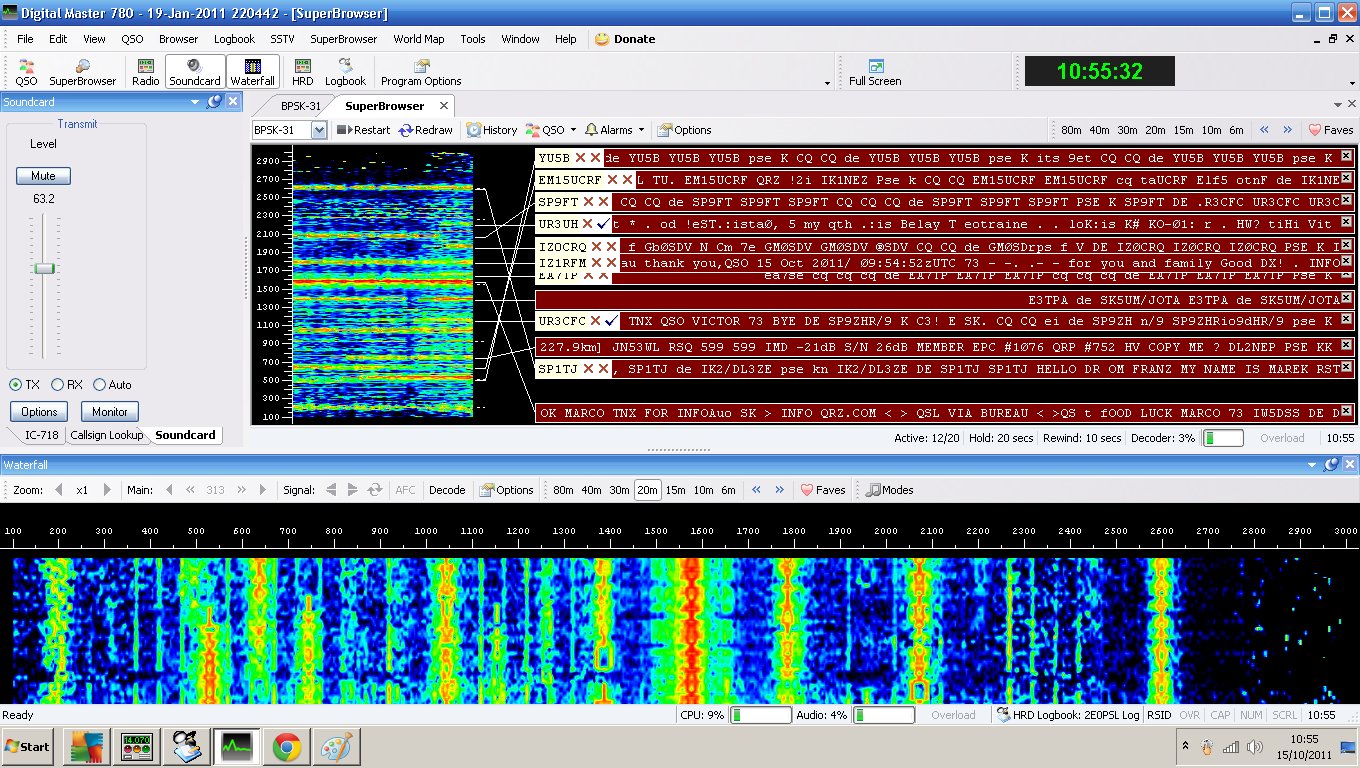
Working radio amateurs around the world using digital modes is one of the most interesting parts of the hobby.
Digital modes can make contacts possible with relatively low power, allow weak signals to be decoded that may be difficult to hear by ear, and make computer logging and station control very straightforward.
On this page, we look at some of the most popular amateur radio digital modes and what you need to get started.
Why try amateur radio digital modes?
- Many digital modes work extremely well with low power
- Some can decode signals below the level you can easily hear
- They make efficient use of radio spectrum
- Computer logging is usually straightforward
- They can make international contacts easier where language is a barrier
- They’re a good way to combine radio, computers and experimentation
What do you need to get started?
For most soundcard-based digital modes, you’ll need:
- An amateur radio transceiver
- A computer
- A way of getting receive and transmit audio between the radio and computer
- A way for the computer to control transmit/receive switching
- Suitable software
- An antenna
How complicated that setup is depends largely on your radio.
Modern radios can make digital modes very easy
Many modern amateur radio transceivers have a built-in USB interface.
With a suitable USB cable, the computer may be able to handle:
- CAT control – changing frequency and radio settings
- Transmit/receive control
- USB audio – carrying received audio to the computer and transmit audio back to the radio
This means that with some radios, one USB cable is all that’s required between the radio and computer.
Older radios may need a separate interface.
The data interface
If your radio doesn’t provide built-in USB audio and control, you’ll normally need some form of interface between the computer and radio.
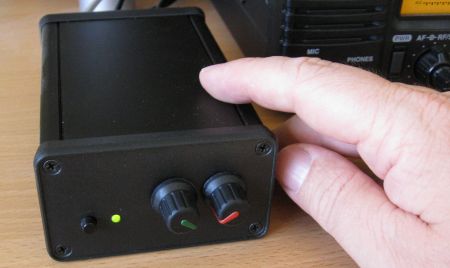
An example of an older external radio data interface
Depending on the radio and the mode you want to use, an interface may provide:
- CAT – computer control of radio frequency and settings
- PTT – allowing software to switch the radio into transmit
- Audio – transferring receive and transmit audio between radio and computer
- Isolation – helping to avoid ground loops and unwanted noise
Before buying an interface, check exactly what connections your particular radio already provides. With many newer transceivers, you may not need an external interface at all.
Getting the audio levels right
Audio levels are important with soundcard-based digital modes.
Receive audio: Make sure the software is seeing a healthy signal without being overloaded. Most digital-mode programs provide some form of level or waterfall indication.
Transmit audio: Don’t simply turn the computer output level up as high as possible. Excessive audio can cause distortion and produce a wider, poorer-quality transmitted signal.
For modes such as FT8, adjust the computer and radio levels so that you achieve the required RF output without driving the transmitter excessively.
As a general rule, a clean low-power signal is much better than an over-driven signal.
Keep your computer clock accurate
Some popular digital modes depend on stations transmitting in precisely-timed periods.
FT8, FT4 and WSPR in particular require your computer clock to be reasonably accurate.
Modern versions of Windows, macOS and Linux can normally synchronise their clocks automatically over the Internet. If your decoding seems unusually poor, checking the computer time is one of the first things to try.
FT8
FT8 is now one of the most popular amateur radio digital modes.
It was developed as part of the WSJT-X software suite and is designed for making reliable contacts with weak signals.
FT8 transmissions use 15-second periods, and the software can decode many stations simultaneously within a relatively small slice of spectrum.
A typical FT8 contact automatically exchanges:
- Callsigns
- Locator information
- Signal reports
- Confirmation of the contact
FT8 is particularly popular on HF and is an excellent mode for modest stations, compromise antennas and low power.
Read our FT8 beginner’s guide »
FT4
FT4 is related to FT8 but uses shorter transmission periods.
It was designed with contest-style operation in mind and allows contacts to be completed more quickly than FT8.
FT4 and FT8 are both supported by the current WSJT-X software.
WSPR
WSPR stands for Weak Signal Propagation Reporter.
Rather than being primarily a conversational QSO mode, WSPR is designed for testing propagation and station performance.
A WSPR transmission contains information including your callsign, locator and transmit power.
Receiving stations around the world can decode these transmissions and report them to the WSPRnet database.
This allows you to see:
- How far your signal is travelling
- Which directions are open
- How propagation changes during the day
- How different antennas compare

WSPR map showing signals from Essex
JT65 and JT9
JT65 and JT9 were important weak-signal modes and helped pave the way for the widespread adoption of FT8.
They can still be encountered, but somebody getting started with weak-signal HF digital operation today will generally find much more activity on FT8 and FT4.
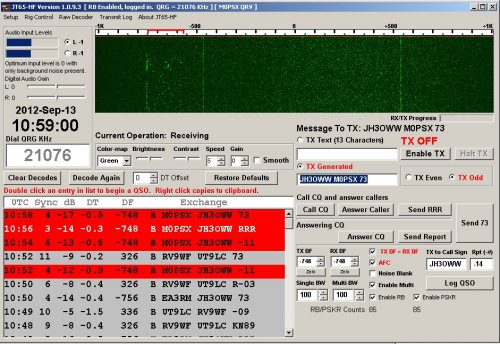
A QSO with Japan using JT65
RTTY
RTTY – Radio Teletype – is one of the classic amateur digital modes and remains in use, particularly in contests.
Unlike FT8, RTTY allows text to be sent in a more conversational form.
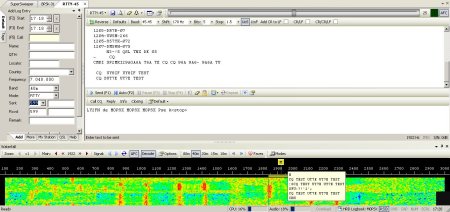
An RTTY QSO
Programs capable of working RTTY include Fldigi, MMTTY and several logging or contest applications.
PSK31
PSK31 stands for Phase Shift Keying at approximately 31 baud.
It became extremely popular because it allows keyboard-to-keyboard contacts using very little bandwidth and modest transmit power.
PSK31 activity is lower than it was at its peak, but contacts can still be found.
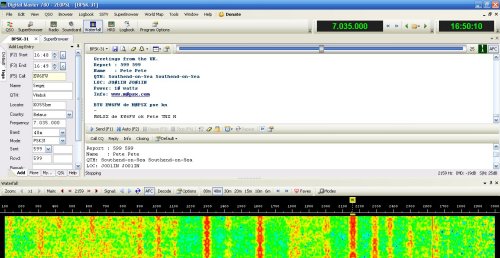
PSK31 using digital-mode software
Modern software such as Fldigi can handle PSK31 along with many other keyboard and soundcard digital modes.
Slow Scan Television – SSTV
SSTV uses radio to send pictures.
Despite the name, it’s not live television. An image is converted into audio tones and transmitted over a period of tens of seconds or a few minutes.
Common analogue SSTV modes include Martin and Scottie.
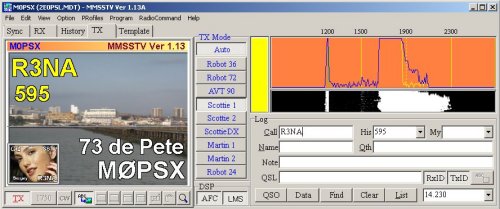
Sending an SSTV image using MMSSTV
SSTV remains particularly popular when the International Space Station runs special SSTV events.
APRS and Packet Radio
APRS is the Automatic Packet Reporting System.
It uses packet radio to exchange information such as:
- Station positions
- Weather information
- Telemetry
- Short messages
- Status information
In the UK and much of Europe, traditional VHF APRS activity is commonly found on 144.800MHz.
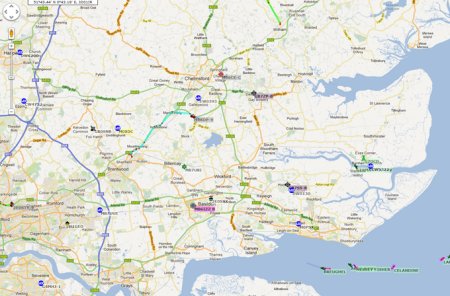
Map showing APRS activity
Older APRS installations often used a separate TNC – Terminal Node Controller.
That’s still possible, but it’s no longer essential. Modern APRS can also be handled by:
- Radios with built-in APRS
- Software TNCs
- Smartphones
- Raspberry Pi systems
- Dedicated trackers
Internet gateways known as iGates forward radio packets into the APRS-IS Internet network, allowing stations to appear on services such as aprs.fi.
View live APRS activity on aprs.fi »
aprs.fi remains actively used today and displays position, weather, telemetry and message information from APRS-IS. :contentReference[oaicite:1]{index=1}
APRS through the International Space Station
The International Space Station also carries amateur packet equipment.
When operational, the ISS can act as an APRS packet digipeater, allowing stations on the ground to send packets through the spacecraft.
The worldwide VHF packet frequency is currently 145.825MHz. :contentReference[oaicite:2]{index=2}
You’ll need to know when the ISS is passing over your location and check the current ARISS station status before transmitting, as equipment can be unavailable during maintenance, educational contacts or other operations.
ARISS – Amateur Radio on the International Space Station »
More on working the International Space Station »
Digital modes on VHF and UHF
Digital modes aren’t restricted to HF.
Depending on the mode and local activity, VHF and UHF can be used for:
- FT8
- FT4
- Packet radio
- APRS
- SSTV
- Weak-signal experimentation
FT8 is particularly useful for weak-signal VHF operation during enhanced propagation conditions.
What software should I use?
There isn’t one program for every digital mode.
Common choices include:
- WSJT-X – FT8, FT4, WSPR and related weak-signal modes
- Fldigi – RTTY, PSK and many traditional digital modes
- MMSSTV – analogue SSTV
- Dire Wolf – software packet TNC and APRS
- JS8Call – keyboard-style weak-signal communication based on JS8 modulation
Some logging programs can also control the radio and exchange information automatically with digital-mode applications.
How much power should I use?
Digital modes do not automatically require high power.
In fact, modes such as FT8, WSPR and PSK31 are particularly effective with relatively modest power.
Use only as much power as needed to make the contact, and make sure your transmitted audio is clean.
Also remember that digital modes can involve long periods of continuous or near-continuous transmission, so check that your radio is suitable for the duty cycle you’re asking of it.
Where should I transmit?
Digital activity tends to congregate around recognised parts of each amateur band.
Don’t rely indefinitely on an old printed frequency list, as band usage and recommendations can change.
Check the latest RSGB band plans and the documentation for the particular mode you’re using.
Which digital mode should a beginner try first?
If you’re new to amateur radio data modes, FT8 is probably the easiest place to start on HF.
It’s extremely popular, the software handles much of the contact automatically, and you’ll normally find plenty of signals to decode.
If you want a more conversational keyboard-to-keyboard mode, try PSK31, RTTY or JS8Call.
If you’re interested in location tracking and packet radio, explore APRS.
If sending pictures appeals to you, try SSTV.
Related Pages
- FT8 – The Basics
- Getting Started with WSPR
- PSK31 – The Basics
- SSTV – The Basics
- APRS in Essex
- Working the International Space Station

Dear all at the Essex Ham club,
Firstly I would like to thank you for giving me so many ideas and re kindling old radio memories after reading your club site, most of which at the moment are swirling around my brain .However before I go into details, please forgive me as I have not introduced myself.
My name is Rowland Rees, but everyone calls me Rowli. Callsign GW0RTR . I have been called Mr Rees for 40 years having been a senior teacher in an elementary school teaching/ guiding/helping/ having a laugh, with children between the ages of 7 and 11 and what an amazing privilege that was. I stated a radio club in school and boy, what fun that was. I think the best moment of the radio club was when we were selected to talk to Helen Sharman while she was up in space, one of six schools / collages in the UK. Our call sign GB1JUNO became quite a collectors piece all over the world. A link was never made with Helen as very rude amateur broke in on our transmission even though she was calling our callsign.
To make up for this disappointment , she came to school to see us and invited a group of us to London to the famous National Geographic Building for a chat and meal with her.
Anyway in a nutshell, soon after this, I lost my wife to the dreaded cancer, retired, lost my head a bit. Took to walking the Welsh hills on dry days and painting mad painting ( but some people liked them) on wet days and lost all interest in radio work.
Then one day in a gallery I got talking to a lovely lady whose life, I found out, was also in turmoil…… and together over the last seven years, well words can’t even get near to describing the life we have set up together. Patti my partner has even involved herself fully in my two hobbies of glass fusing and mountain walking, and when we go away in the Vw camper van to various parts of Europe, she even shows interest in my radio work.
Sorry, my short note, is turning into a long note, maybe the reflection of being a teacher. I will try and get to the point as soon as, but felt it important to give you some background as there is so, so much background reading on your web pages, so interesting, but I must confess at the present time, much of which I don’t understand, but am eager to do so, so here goes.
My new QTH, Patties, home is in the tiny seaside village of Mumbles, postal code SA34ND, address, , 9 Langland Rd. If you were to look at this on Google earth you will see the garden is tiny, no room for ground radials, certainly no room for a three element yagi, so I have ordered a Ciro Mazzoni Midi Loop and a rotator. My radio is a Kenwood 480 HX (portable/base), might buy a base later on.
This is what I wanted to ask. Do I order a Digimode Minipro from G4ZLP.co.uk. ?
OR
Or I order a Tigatronics Data mode interface from Martin Lynch & Sons, from where I ordered my magnetic loop and still waiting for delivery into the country ?
OR
Do I order a Micro Keyer 3 Microham, again from Martin Lynch & Sons ?
OR,
Have you got any ideas ?
Just before my wife passed away I did some work on PSK 31 using a PC.
I really enjoyed this. I am now more than ever eager to start learning data modes properly. Having had two of our holidays cancelled this year and unable to use the camper van, with Patties blessing, I am kitting out a little radio shack so I want to make sure I do it properly. I had advice of a local radio ham re the antenna and as he said, I had very little choice with the very small courtyard garden we have, but he knew nothing of data mode. Hence my plea of help.
I am now slowly teaching myself to use my AppleMac Book Pro as both of us do a lot of photography. When this lock down is over, I intend purchasing am IMac, so then maybe dedicating this computer to radio work.
To get me started, and please gently as I am certainly no computer expert, could you guide me to some software to get me going on PSK31, or similar, or whatever simple date made I should start with and maybe other simple date modes that are simple to install and use with the antenna radio computer set up I have.
I am so, so sorry if you are tired by now having read this far and soooooo many questions but I felt it important to give the whole picture.
Keep well and keep safe,
Rowli from little Wales…. :-)
Just read your peice …what a touching story coming through the downs of life I am sure you will enjoy digital modes ..stay safe ,stay well, enjoy your radio
OLLY de G7SWS
Dear Mr Roland Rees GW0RTR
I can help you get started on digimodes and also offer advice on constructing magnetic loop antennas. (Tx and Rx). The software I would recommend for digimodes is FL-DIGI, do a google search for it. As for wiring to the radio etc, contact me and I will try to explain all the options. You can get set up for very little money and best of all, you don`t need massive antennas to makes these modes work. (Good for small gardens)
I am not a member of Essex ham but I offer free advice to any ham radio operators or constructors wherever possible.
Very best regards,
Chris (G7DOM)
contact me g7dom(at)hotmail.co.uk Pls replace the (at) with @
or do a google search for my callsign.
Very touching story Rowli. I am currently contemplating trying some digital modes again, looked at Fldigi but was a bit put off by the fact that the handbook pdf is 580 pages long. I once used HamRadioDeluxe, in the days when it was free, but found it enormously complicated, not really being a computer sort of person. For that I used a Tigertronics Soundcard but have forgotten how to set it up after a few years away from the radio! The reason I am contacting you however, is to say that, after moving a year ago into a top-floor apartment with access to the communal roofspace, I invested in a Ciro Mazzoni ‘Stealth’ loop which has been easy to hide from the neighbours and I am extremely pleased with how far I can get on under 100 watts! I would also be interested in G7DOM’s explanation of how to set up FlDigi.
Best 73, Kit HB9HFB
Some interesting and moving stories. I am a new ham, and thinking about ‘digital’s radio thru’ the computer. Just started and trying to absorb the acronyms ‘PTTY’ etc. I will need something to plug into the radio, as to what that is ??!!. Any info will be gratefully received. Brian
Hi Brian, I realise you asked the question quite some time ago, but this link will take you to a comprehensive list of amateur radio abbreviations and acronyms:
https://rsgb.org/main/publications-archives/radcom/supplementary-information/abbreviations-and-acronyms/
Good luck and 73,
Colin
GM4JPZ