


SSTV stands for Slow Scan Television. In amateur radio, SSTV allows you to send and receive still images over the air.
To send and receive SSTV images, you normally connect your amateur radio rig to a computer and use software to encode and decode the image signals.
Pictures typically take around a minute to receive, depending on the SSTV mode being used. Here are four images captured whilst this article was being written. They were received on the 20 metre SSTV frequency of 14.230MHz:
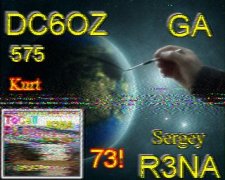
|
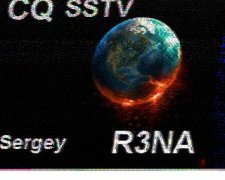
|
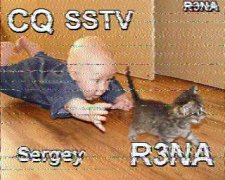
|
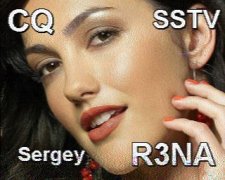
|
Using SSTV
As with anything that involves connecting a computer to a radio, setup can be a little tricky. You need to connect the audio output of your radio to the audio input on your computer. You’ll normally use a data interface to make the connection between the radio and PC.
Depending on your radio, some modern rigs have suitable USB audio and control interfaces built in, while others require an external interface or data cable.
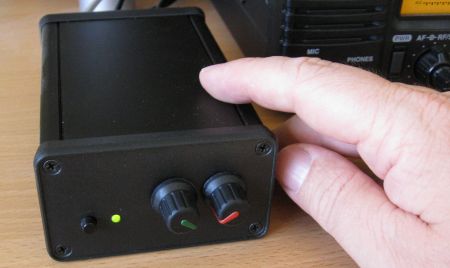
Assuming you can connect your radio to your computer, you’ll need some SSTV software. One of the best-known Windows SSTV applications is MMSSTV, written by JE3HHT. This has been widely used by radio amateurs for many years.
The following screenshot shows an outgoing SSTV transmission in response to a CQ call:
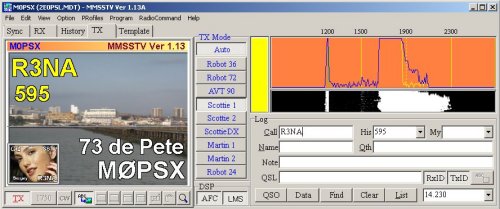
It’s very rewarding being able to receive images from other radio amateurs around the world, and a received image can also provide a visual record of a contact.
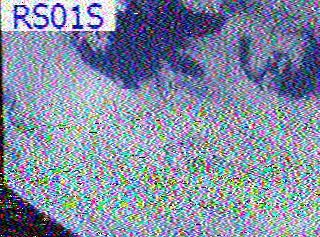
The following image may not look visually impressive, but it’s a rather special one. I received it in 2011 from the ARISSat-1 amateur radio satellite — an SSTV image received from space on the 2 metre band:
SSTV Sample Audio
Thanks to Paul M0CNL for suggesting that it would be useful to have some test SSTV audio files. Below are some Essex Ham sample files recorded in two commonly-used SSTV formats. You can play the files using the players or download the MP3 files.
| Martin 2 | Scottie 2 |
|---|---|
|
Essex Ham 01 Martin 2 MP3 |
Essex Ham 01 Scottie 2 MP3 |
|
Essex Ham 02 Martin 2 MP3 |
Essex Ham 02 Scottie 2 MP3 |
SSTV on a Smartphone
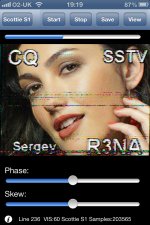
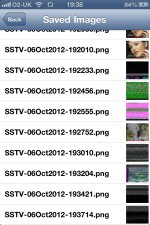
You don’t necessarily need to connect your radio to a computer to receive SSTV. Smartphone apps are also available that can decode SSTV using the phone’s microphone.
|
|
The screenshots above are from an SSTV app for the iPhone and iPad available when this article was originally written. Apps and availability change over time, but the basic principle remains the same.
Tune your radio to an SSTV frequency, such as 14.230MHz on the 20 metre band, and hold the phone’s microphone close to the radio’s speaker.
When you hear the distinctive sound of an SSTV transmission, the app should start decoding the signal and building the picture on the screen. You can also leave the phone next to your radio and see what images have been received while you’ve been away.
Tried SSTV?
If you think SSTV might be for you, give it a go. Receiving is an easy way to start — tune to an SSTV frequency, listen for the distinctive signals and try decoding an image using a computer or smartphone.
If you’ve tried SSTV, please add a comment below and let us know how you got on.
| Want a one-page guide? See our Getting Started Guides |

I have a SCS PTC-II would love to use it for SSTV..any help.
Will MMSSTV SOFT WORK WEWLL WITH IT FEEDING PROPER LEVELS
IN AND OUT.?? AND OR NEED ANY OTHER INTERFASE,,,.rEASON FOR USING ptc ARE THE GOOD SENSITIVITY AND FILTERS AND COMANDS.. ETC.
pLEASE ADVISE
WILL ALSO LOOK VENTUALLY FOR ISS SSTV (BUR RUSSIANS) ONLY DO IT
OVER MOSCOW…???OH WELL.. THE BREAKS….
PLESE HELP THERE IS ABOUT OTHER 10 PEOPLE WHICH I WILL HELPS AFTER MY TESTING…
THABKS.
TED HC5K KG4LRJ LOCAL PHONE 336 499 9659
I did a quick Google search for you, and it seems that a few people have successfully used this TNC with SSTV, so it’s worth a try. For help setting it up, try the user forum here: http://www.scs-ptc.com/forum/forum-en
Tks for message….One more question…
Is it better to Modulate the Icomn 706 thru the Mike circuit
and or thru the ACC socket to the Modulator( as I do on packet)
Will levels be critical thru MMSSTV SOFT ..?/Any advanages to
mod mike and or Modulator Plese HELP and tks..
We will do some local tests on VHF UHF first fm will that be OK and or SSB Please advise…SOrry many questions.
ted Hc5k
I have an icom 718, and use the ACC socket, which works well, and doesn’t tie up the mic socket. If ACC is working well for you with packet, try it with SSTV. TX level is important and make sure the signal isn’t compressed (no ALC).
On VHF, go with FM, not SSB.
a android and payed for a slow scan for it……unfortunately it will NOT do,ROBOT 36,and most of the other’s,I just have to bite the bullet …chethel
Well i had invented the mechanical SSTV glow paint monitor .
The idea was to copy the result of the p7 crt used in th early days of SSTV to view pictures scanned on this long phosphor persistence CRT,but do it mechanically and with junk box parts .
https://www.youtube.com/watch?v=JEmc7Jbq7L0…A%26%2365279%3B
https://www.youtube.com/channel/UC9efez277_E3FpVgyObW8LA
I am not sure if you can view the pictures and odd video if your not a member of the other forum but this is the link to my project.
How its done and how i came to getting it to work was a long process the idea was right but i needed to get my head around the correct scanning and how to modulate the laser .
Ok the drum is painted in Glow paint i found the type shown in the last few posts was much better than what i started with as its finer the first type i used was grainy so not great for fine detail.
I used a Uv laser to charge the glow paint the amount of time the paint is charged will glow depends on the intensity of the laser ,think i used a 20mw but all that power is not needed.
IT was a great project and i am proud i got it to work my very own invention.
I have ICOM IC-718 and I have connected my computer to the radio using SIGNALINK USB.
I use JT65 and FT8 modes using this signalink USB. My question is can use this signalink USB
to work SSTV?
73
V KISHORE (VU2JXL)
Yes, the SignaLink USB works with SSTV. I am using it as I type…..
73,
Harold (N1FTP)
Where are my manners, Pete, excellent site. It truly helped me to get into SSTV.
73, Harold (N1FTP
To whom this may concern,
I was wondering how SSTV is used properly.
This is because OFCOM specify that you are not allowed to broadcast to anyone listening apart from CQ.
Many thanks,
Caspar
If you take a look at some of the screenshots, you will see that the initial SSTV images include a CQ in the image, and give the callsign.
Pete
What does S3P3 mean on Slow San TV
I am working on a puzzle that requires the solvers to decode an SSTV .wav file.
But the reviewer of the puzzle disallows the need to install .exe files.
Does any of you know if there is an online SSTV decode webpage?
Please let me know (also if you know there is not)
Hi
I’m using a yaesu FT818ND and SC-17 interface very successful on FT 8 and JS8 Call; Just discovering SSTV can receive images using MMSSTV but cannot transmit, cannot get the software to see the port. ALso are the any repeaters on HF I can D/L images and call CQ etc?
Thnx
94 New Road
Ditton
Hi Jeff
The software you need is jt65lite and is written by jq1hdr,It takes a little bit of setting up!.If you live near my qth I will show you how to set it up and work ft8 sstv mode. I hope that helps.
my call is M1BJS
Regards Graham
MMSSTV, will work without any interface, just hook up the audio out of your source to the line in of the pc, another multimode program is MULTIPSK, a free program that decodes sstv/fax and most of the digital signals, to try MMSSTV Online, run MMSSTV, and go to http://cb0mtl.selfhost.eu/ – freq 14.230, usb during the day,
I’m using the Yaesu FT-991A with QSSTV9.4.4 on Ubuntu 20.04LTS. If anyone from Essex wants to try a QSO to Birmingham, I am happy to try a QSO.
Just sat decoding SSTV using RXSSTV software. My FB friend Simon M0YKS sent a picture and I managed to receive and decode it using a spyserver in Norway. Lot’s of fun.
I have been using MMSSTV for 6-7 years, with a ICOM7600, but 3 or 4 times during that time, my system has thrown a wobbly, each time the system has corrected itself, but I have been unable to correct it on demand. The pictures are showing “ghosts” to the right side of the texts, and a lot of white spots inside the texts and in particular down the left hand side of vertical letters. Sometimes it takes a few weeks before the system restores itself. I have tried changing all the parameters that are available in the programme, all to no avail. Can anyone help me. Pleeeze.
G3MGU
I just started and played one of your files and the program downloaded it!!! I can’t believe it worked. Thank You.
Hello I have been looking at the RSGB data sheets and band plans to check I would be transmitting within amateur allocation and correct band and licence conditions. I wanted to transmit and receive some SSTV myself to test my set-up but again anyone more experienced with SSTV who could advise/correct me with SSTV bandwidth allocation since I don’t want to cause any interference of interruption for other users by mistake.
From the RSGB band plan it looks like SSTV is okay to Tx on 70cm 432.500MHz (secondary use) and 2M 144.500- 144.794 MHz (Primary use) , 20M 14. 230MHz, 14.0 – 14.35MHz and 14.101-14.112MHz as Primary amateur access, though 20M is more crowded? Thanks in advance for your advice.
Very helpful messages.
How easy might it be to create a sort of ‘Fisher Price’ version that could take a simplified form of the Arecibo Message (50th anniversary in November 2024) with two different tones, chunk it into 23 cols of 73 lines and display the message as the pictorial grid? I thought it might be a fun thing for classrooms to do, as the output is a nice bit of pixel art… not sure how feasible it is, or how easy it would be to translate into a school activity.
I first came across SSTV thanks to a Dorkbot event back in July 2019 https://dorkbotlondon.org/
Anyway I like your sound files, banging tunes :-)
Jo
Hi, i have an RTL SDR and it plugs into my computer and i have an antenna for it and it plugs directly into the SDR. I tried SSTV from the ISS but i recieved no signal at all, i used SDR++. The antenna doesnt swivel or anything. It just sticks directly horizontal out of my computer. All i got was static. I made sure everything was correct. The antenna supports the frequency. I tried it twice, once with ny computer outside on normal orientation, thsn a second time with the laptop sideways with the antenna pointing upwards, the antenna works with my local FM stations and it works, im sure that the iss was transmitting according to ARISS. I know it was over me too, any troubleshooting tips would be amazing from anyone